Streamline Lawmatics with Effortless Call Documentation
Lawmatics is an all-in-one CRM, intake, and marketing automation platform built specifically for law firms. It helps firms streamline client intake, automate follow-ups, and convert more leads into clients.
Call Connector enhances Lawmatics by automatically capturing every lead and client call, text, and fax. This eliminates manual entry and ensures you never miss a follow-up opportunity or billable moment.
Transform Your Lawmatics Experience
Powerful automation that eliminates manual work and improves conversation quality
Automatic Call Logging
Every Lawmatics call is automatically logged as a Note with complete call details - no manual entry required.
AI-Powered Transcription
Real-time transcription with legal-tuned AI accuracy, capturing every important detail from client conversations.
Smart Contact Matching
Automatically associates calls with the right contact and matter in Lawmatics.
About Lawmatics
Lawmatics serves law firms of all sizes with comprehensive CRM, intake, and marketing automation capabilities. The platform consolidates automated client intake forms, email and SMS marketing, lead tracking and scoring, matter management, and e-signature integration into one system designed specifically for legal professionals.
Call Connector integrates seamlessly with Lawmatics through OAuth 2.0 authentication, automatically capturing all client and lead communications. Calls and SMS are logged as Notes, intelligently routed to the Matter when a single matter is found, or to the Contact when multiple matters exist. Faxes are stored as Files on the contact record. If Contact Creation is disabled, calls are logged to a default Company record with your organization's name.
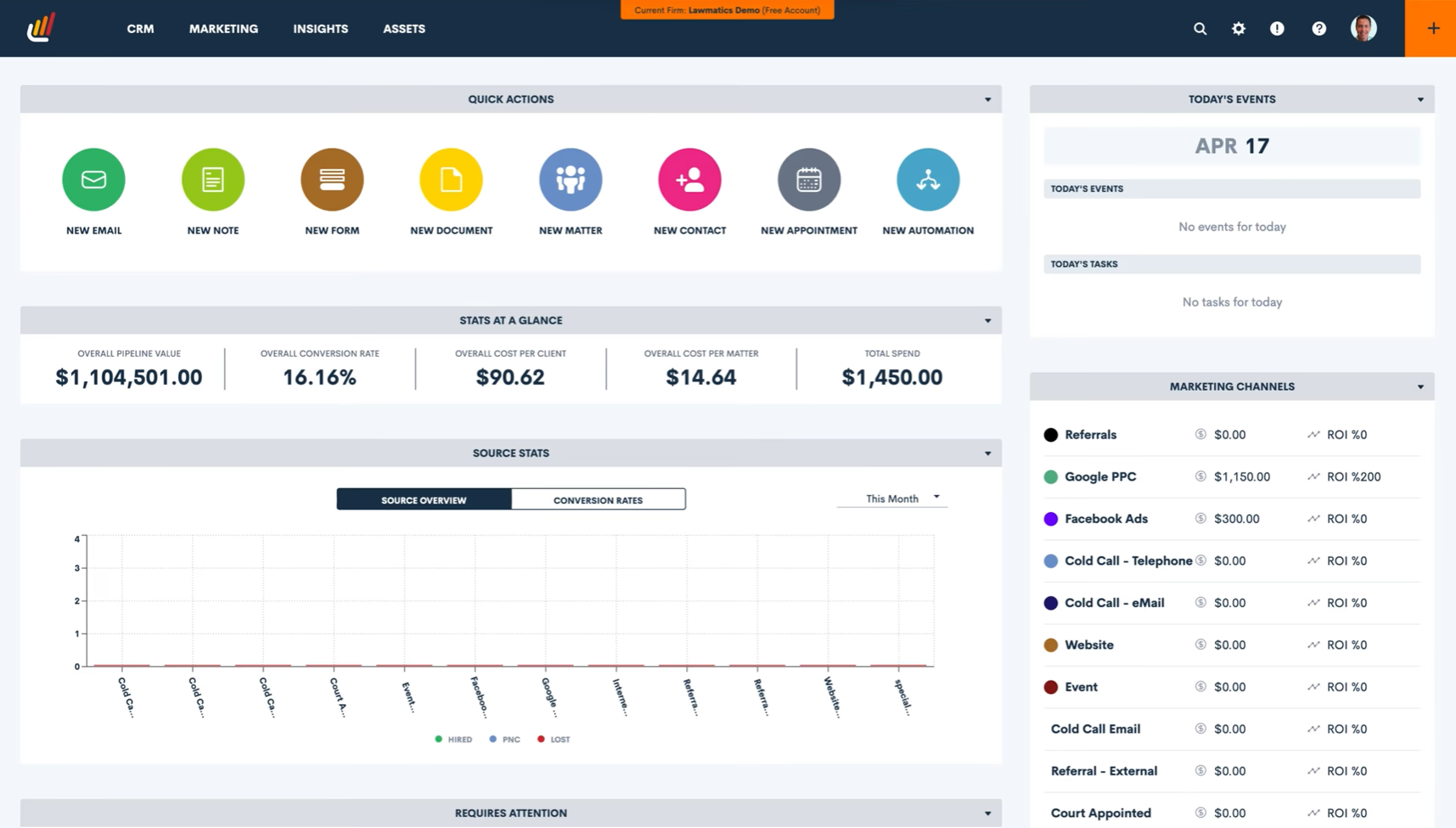

as Note
as Note
What Gets Logged
Calls logged as Notes on Matter (single matter) or Contact (multiple matters)
Call duration, timestamp, direction, and participants automatically captured
AI-powered legal transcriptions embedded in Note (Way Better plan and above)
Recording links included for instant playback
SMS messages logged as Notes with same intelligent routing
Faxes stored as Files on the Contact record
How It Works
Setting up the Lawmatics integration takes about 10 minutes. Connect your Lawmatics account through OAuth 2.0 - click 'Authorize' in the ion8 Connect App Authorization tab, sign into Lawmatics, and authorize the connection. No complex configuration needed.
Once connected, Call Connector captures every communication in real-time with intelligent routing. When a single Matter is found for the contact, calls and SMS are logged as Notes on that Matter. When multiple Matters exist, they're logged as Notes on the Contact record instead. If Contact Creation is disabled in ion8 Connect and no contact is found, Call Connector creates a "default" Company record with your organization's name and logs the communication there. Faxes are always stored as Files on the found contact record.
Read full technical documentation
→What's Included
Automatic Call Logging
AI Transcription
Recording Storage
Matter Association
SMS Logging
Fax Logging
Legal Transcription
Quick Setup
Authentication
OAuth 2.0
Setup Time
10 minutes
Plan Tier
Way Better+
Status
Available
See It In Action
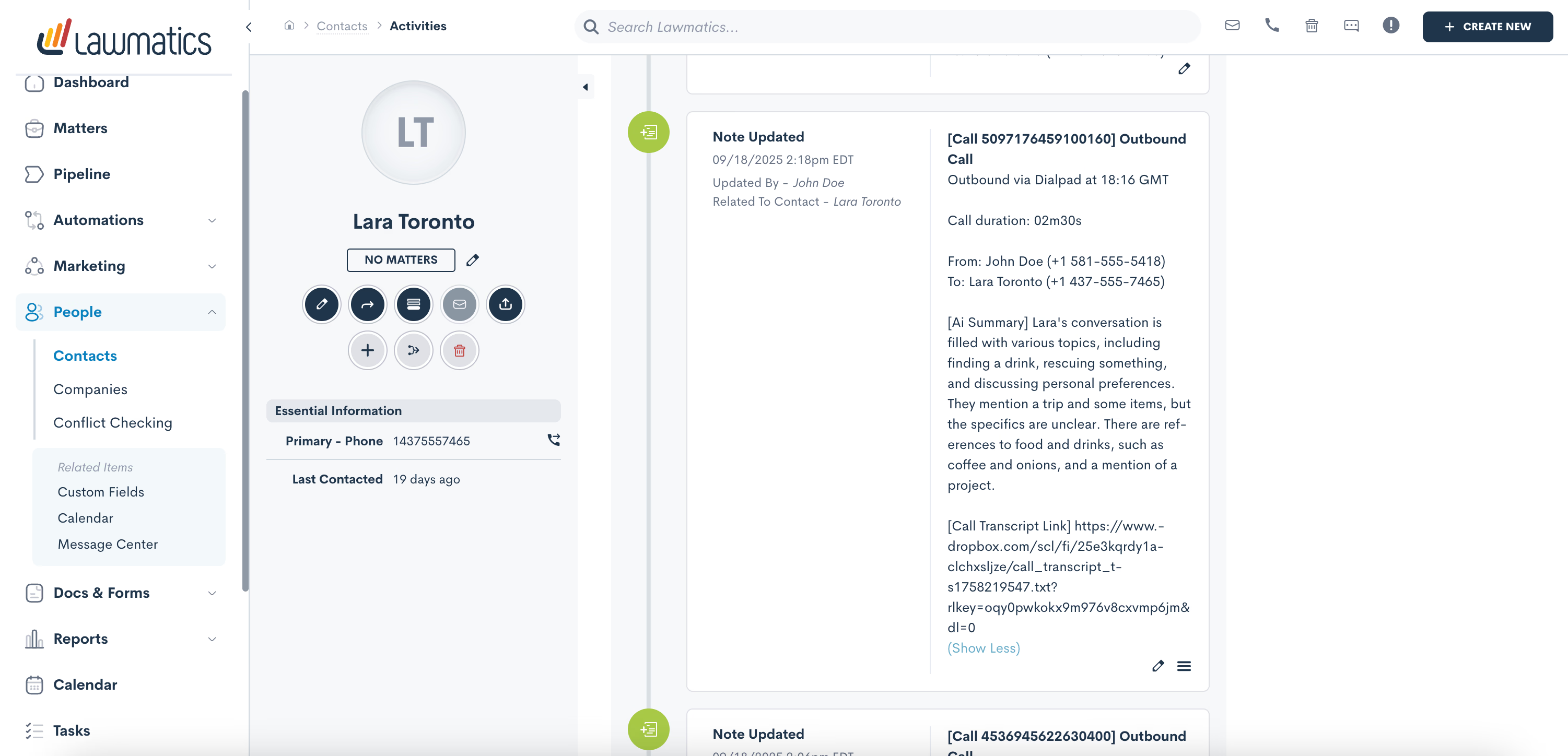
Calls appear as Notes on the Contact when multiple matters exist
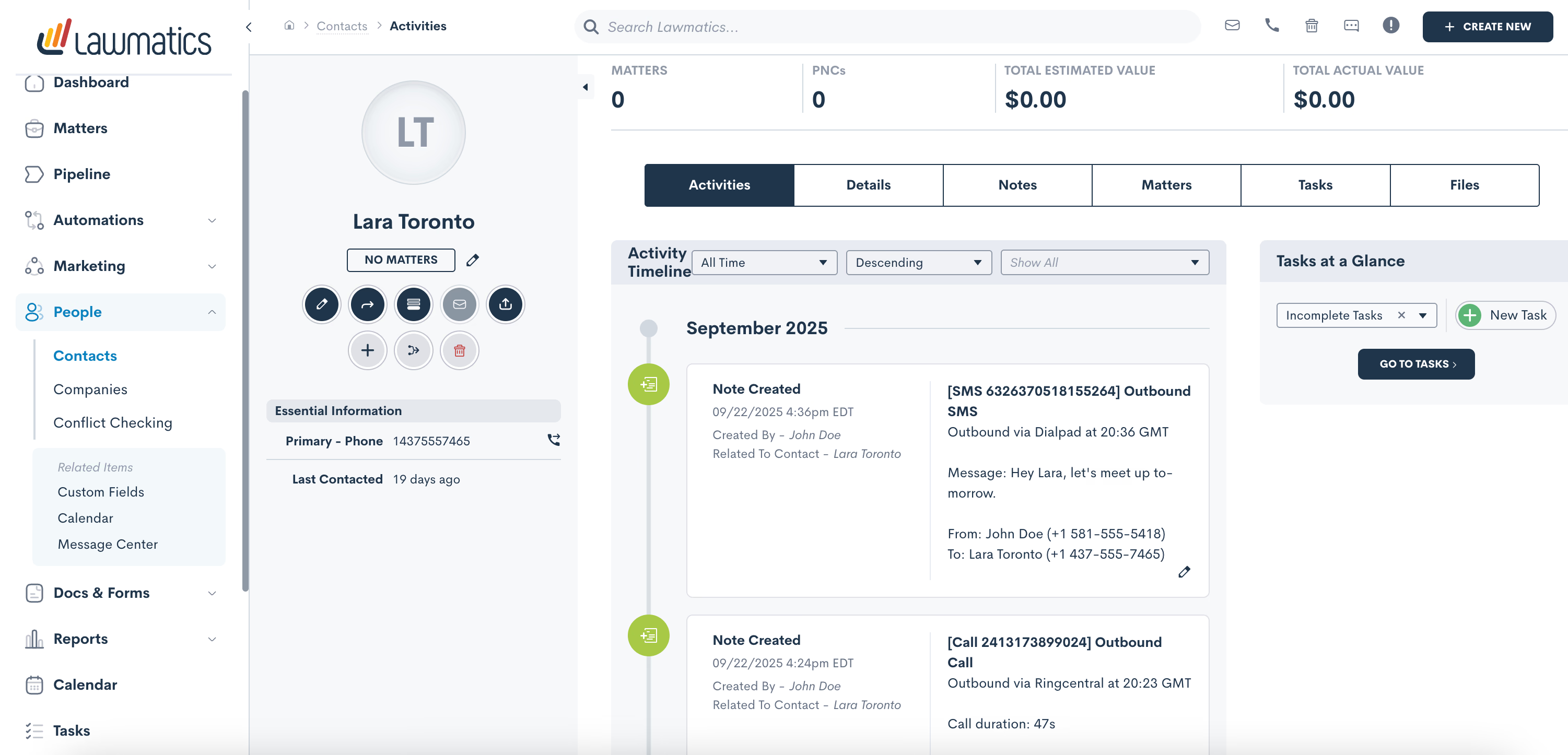
SMS messages also appear as Notes with full message content
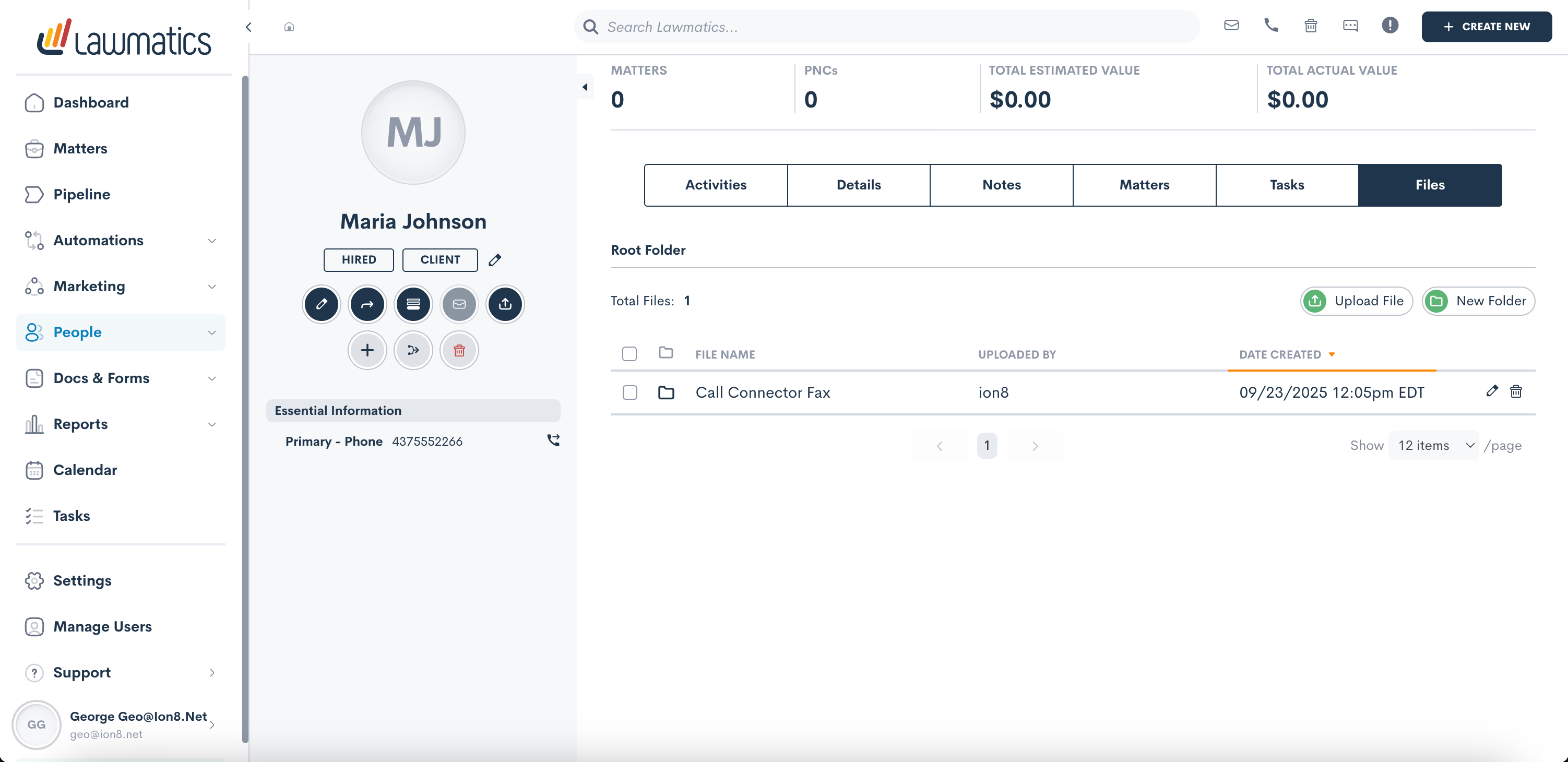
Faxes are stored in the Files tab of the Contact record
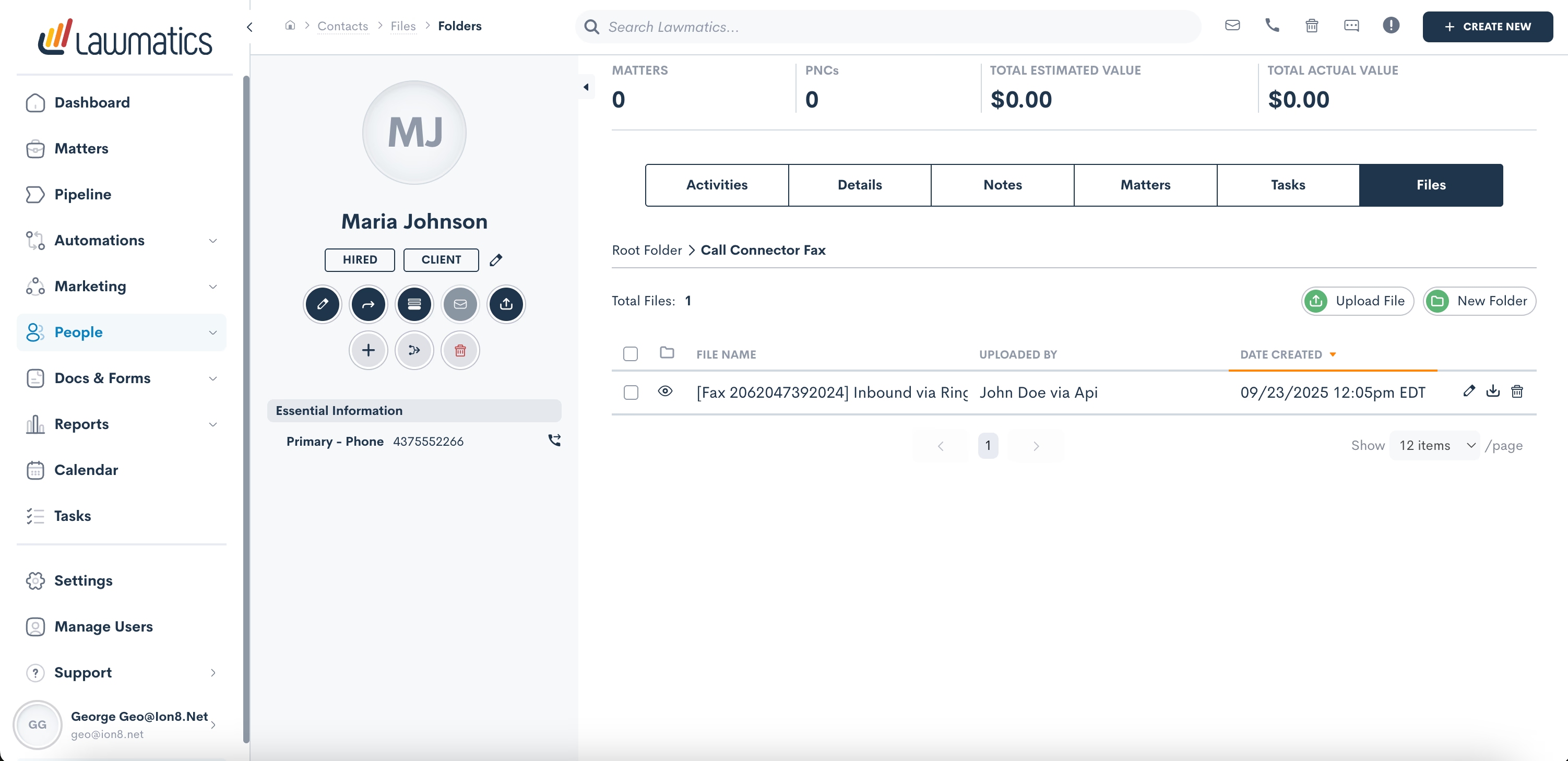
Click to view full fax file details and download options
Frequently Asked Questions
Works with Your Favorite Communication Platforms
Connect Lawmatics with any of these communication platforms for seamless call logging