Streamline HubSpot with Effortless Call Documentation
HubSpot is an all-in-one CRM platform that helps businesses grow by aligning marketing, sales, and service teams. Over 200,000 companies use HubSpot to track customer relationships, automate workflows, and analyze performance metrics.
Call Connector enhances HubSpot by automatically capturing every phone call, SMS, and fax. This eliminates manual data entry and ensures your sales team never misses a customer interaction or deal opportunity.

Transform Your HubSpot Experience
Powerful automation that eliminates manual work and improves conversation quality
Automatic Call Logging
Every HubSpot call is automatically logged as a Call Record with complete call details - no manual entry required.
AI-Powered Transcription
Real-time AI transcription of every call, ensuring you never miss important details or action items.
Smart Contact Matching
Automatically associates calls with the right contact and matter in HubSpot.
About HubSpot
HubSpot serves businesses of all sizes with comprehensive CRM capabilities. The platform consolidates contact and deal management, email tracking, sales pipeline automation, marketing tools, and reporting dashboards into one system designed to help teams grow better.
Call Connector integrates seamlessly with HubSpot through OAuth 2.0 authentication, automatically capturing all customer communications. Calls are logged as Call records with full details including recording links and AI transcriptions. SMS messages appear as Communications in the SMS category. While HubSpot's CRM API doesn't support file uploads, faxes are still logged as Notes associated with contacts for complete communication tracking.
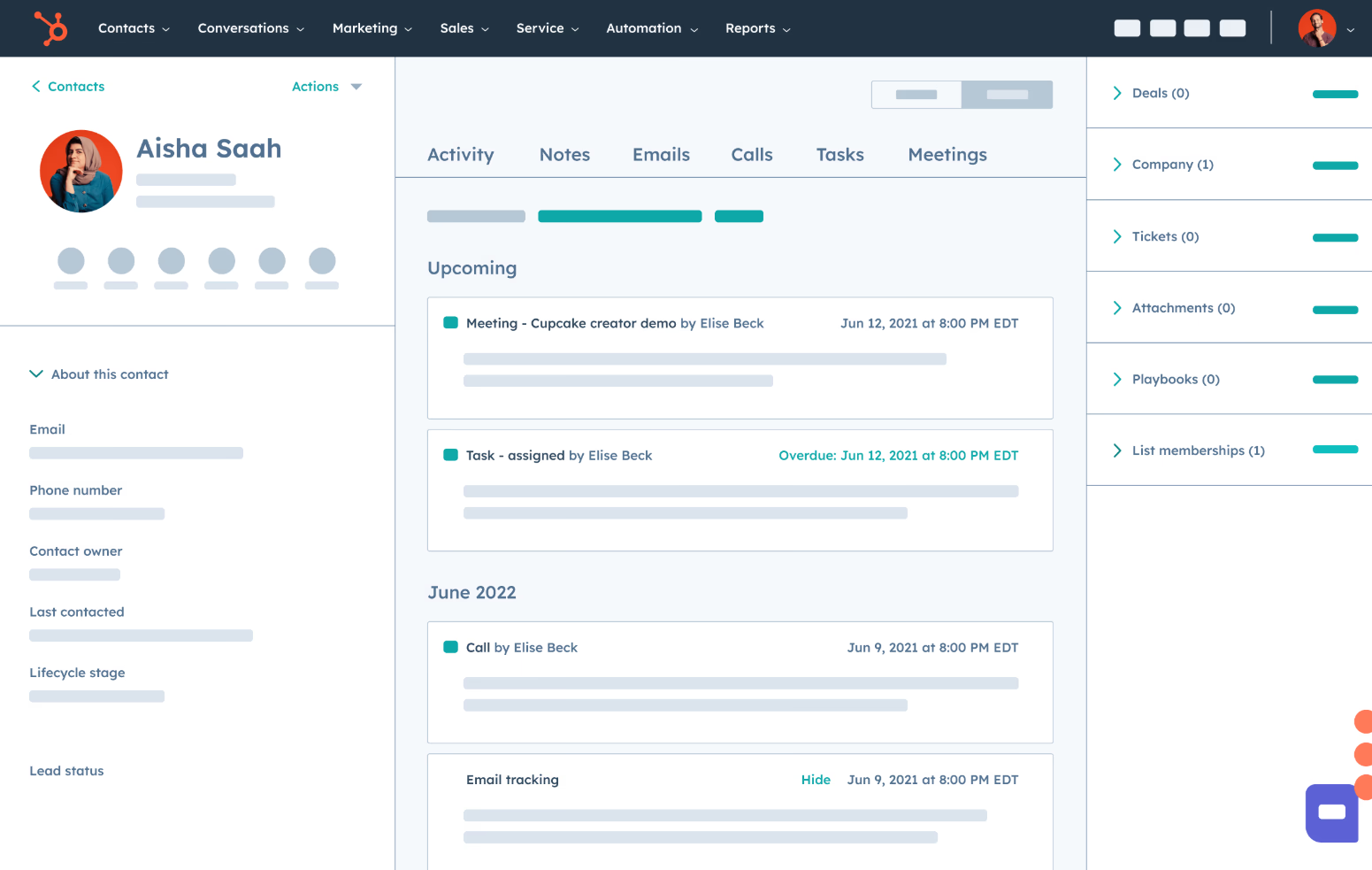

as Call Record
as Communication
What Gets Logged
Every call logged as a Call record with full details
Call duration, timestamp, direction, and participants automatically captured
AI-powered transcriptions embedded in call details
Recording links included for instant playback (shows as 'not recorded' in HubSpot UI)
SMS messages logged as Communications in the SMS category
Faxes logged as Notes associated with the contact
How It Works
Setting up the HubSpot integration takes about 5 minutes. Simply connect your HubSpot account through OAuth 2.0 - click 'Authorize' in the ion8 Connect App Authorization tab, sign into HubSpot, and you're done. No complex configuration needed.
Once connected, Call Connector captures every communication in real-time. Calls are logged as Call records with full details. Note that HubSpot will display calls as "not recorded" in their UI because the recording was created outside of HubSpot - but recording links are still included in the call details for instant playback. SMS messages appear as Communications in the SMS category. Since HubSpot's CRM API doesn't support file uploads, faxes are logged as Notes associated with the found contact instead of as file attachments.
Read full technical documentation
→What's Included
Automatic Call Logging
AI Transcription
Recording Storage
Matter Association
SMS Logging
Fax Logging
Quick Setup
Authentication
OAuth 2.0
Setup Time
5 minutes
Plan Tier
Free+
Status
Available
See It In Action
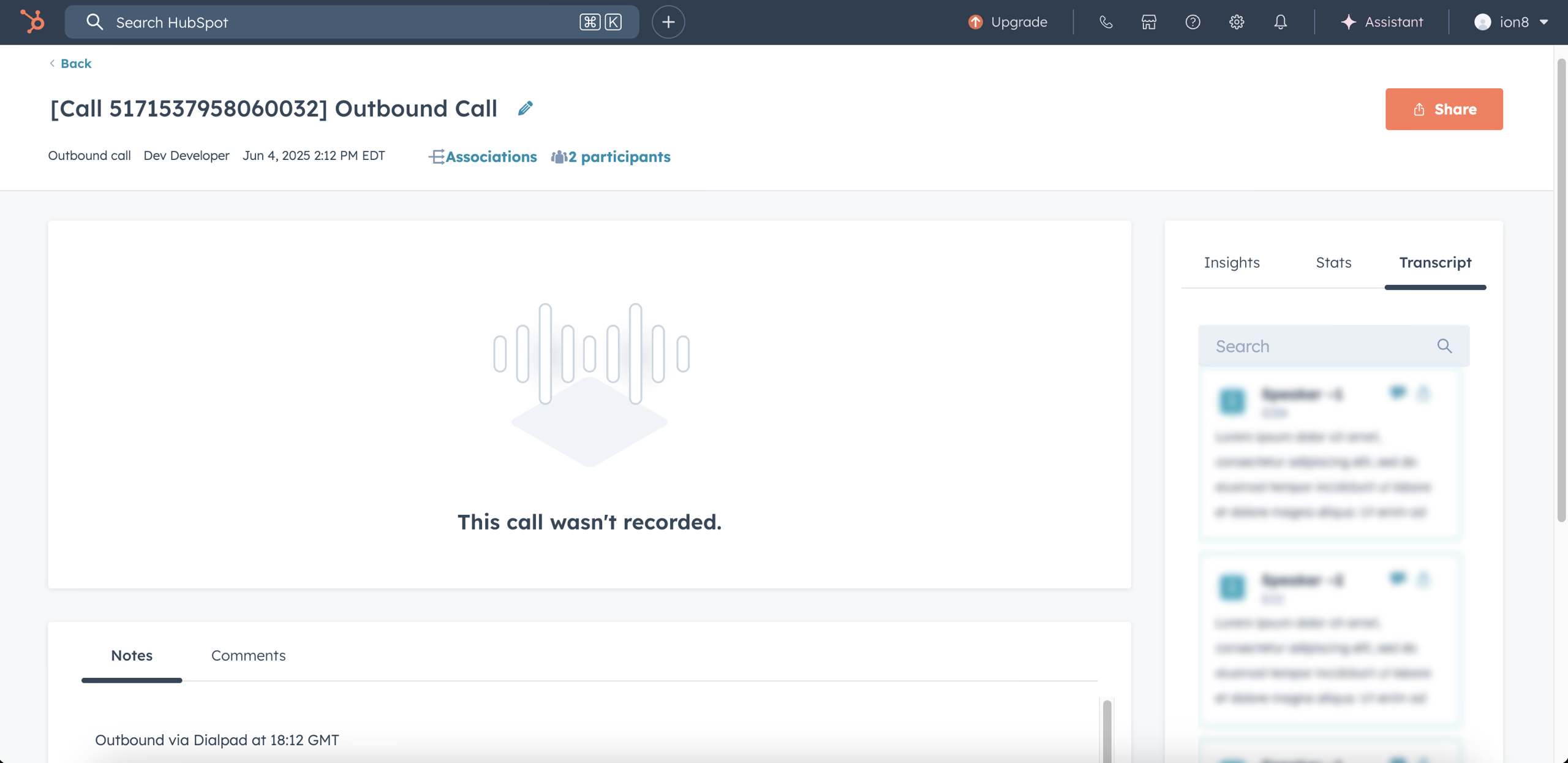
Calls appear as Call records with duration and timestamp details
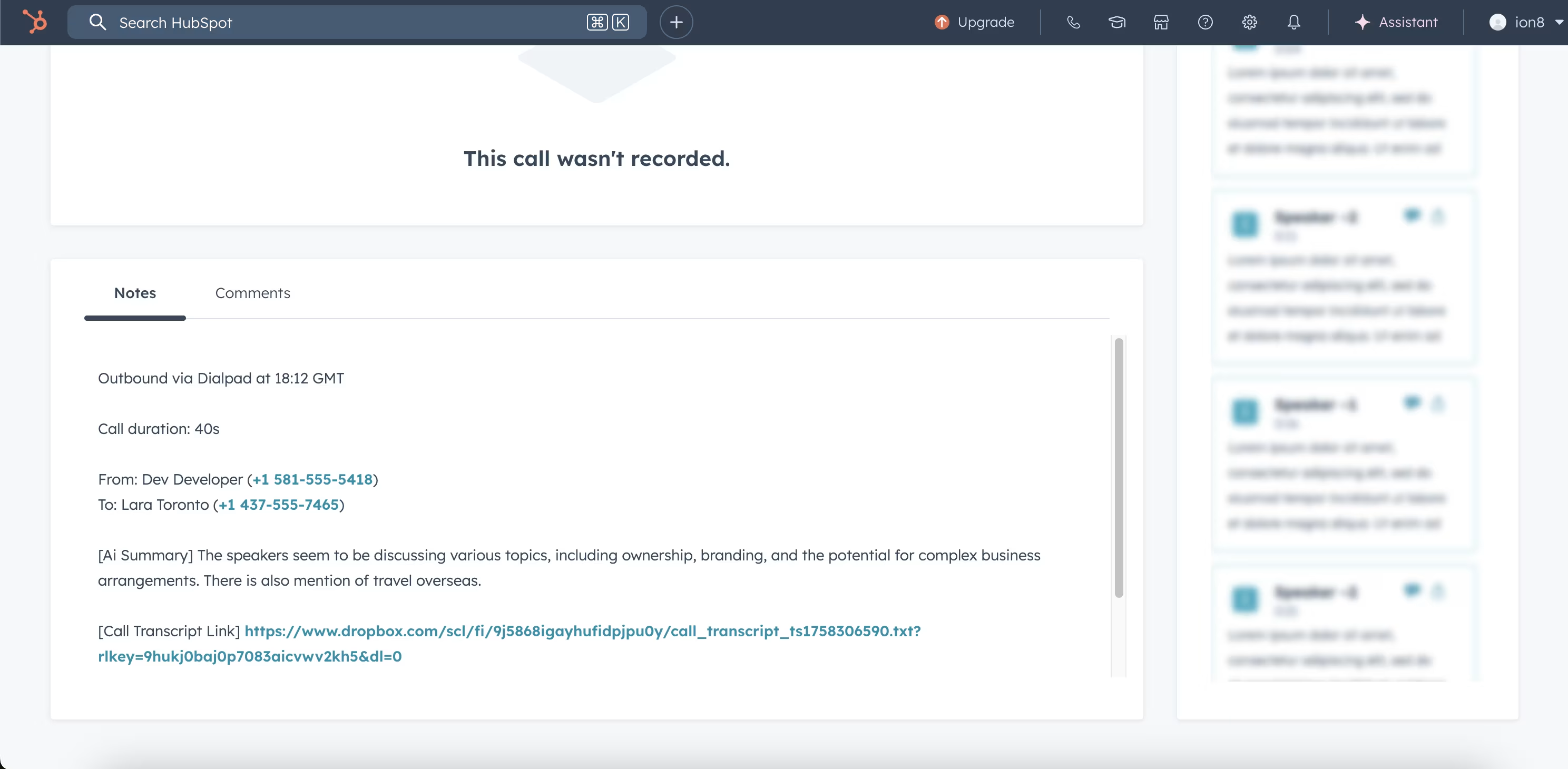
Click to view full call details including transcripts and recording links
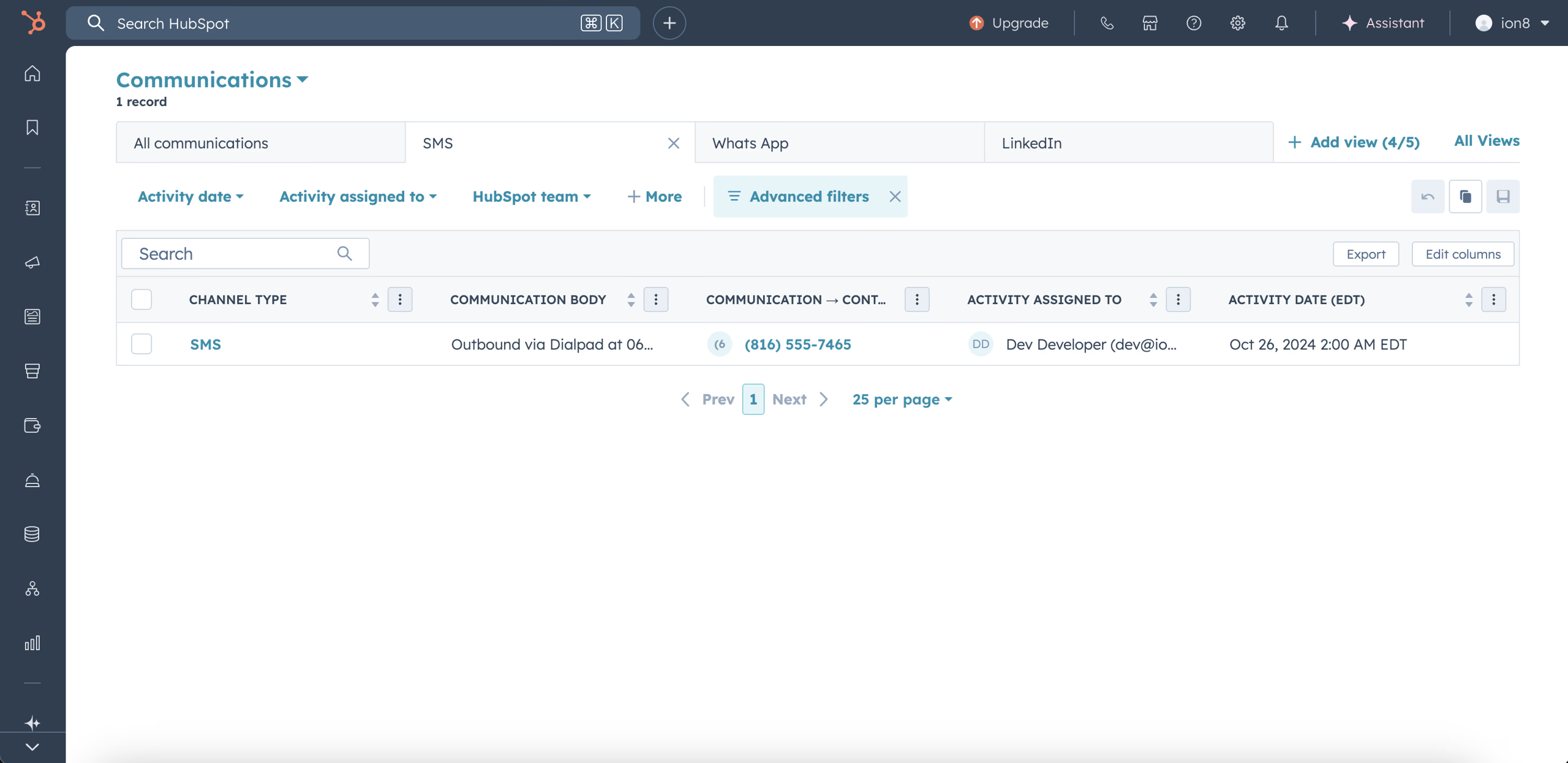
SMS messages appear as Communications in the SMS category
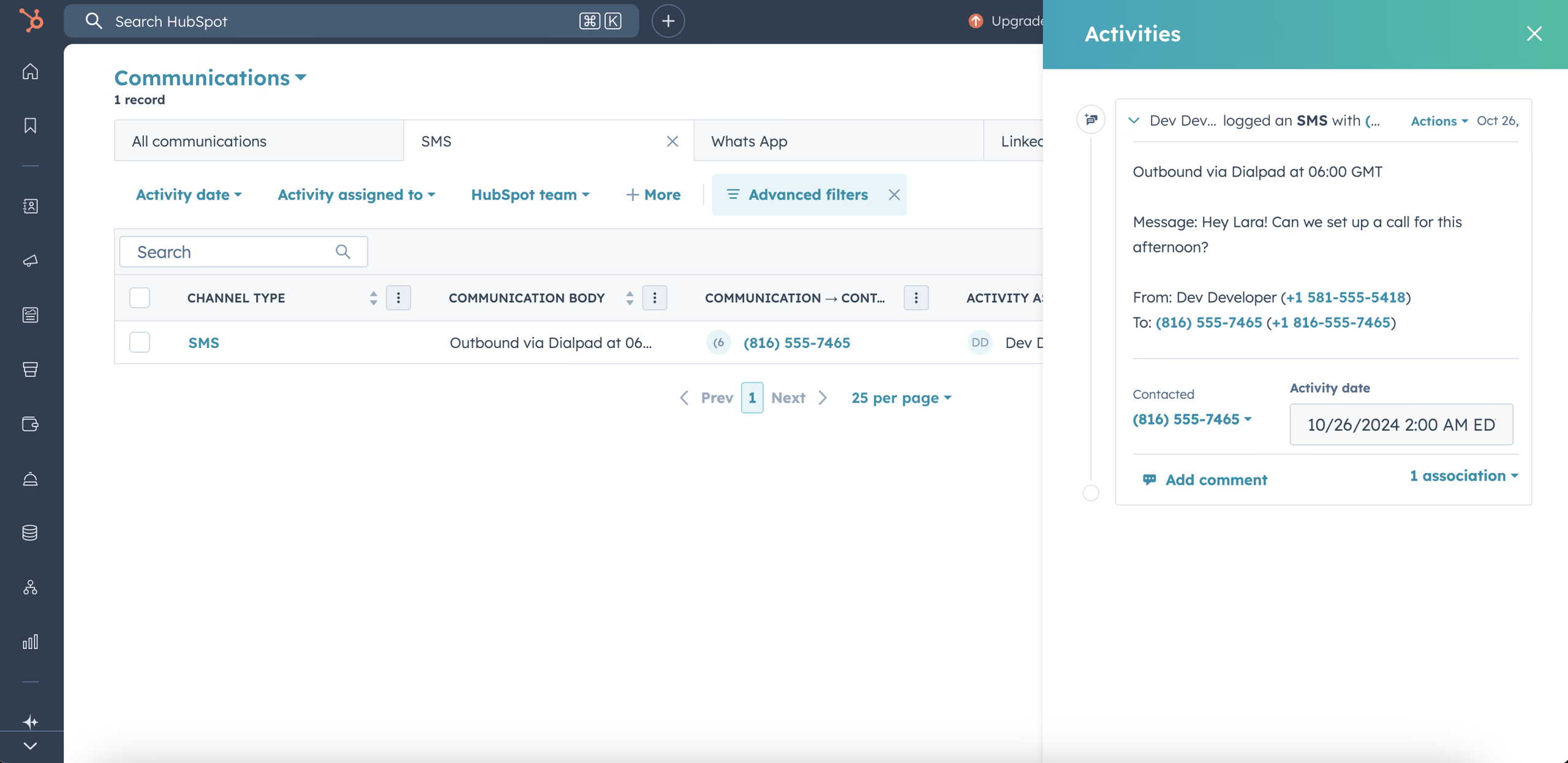
SMS are logged as Notes on the contact for complete communication history
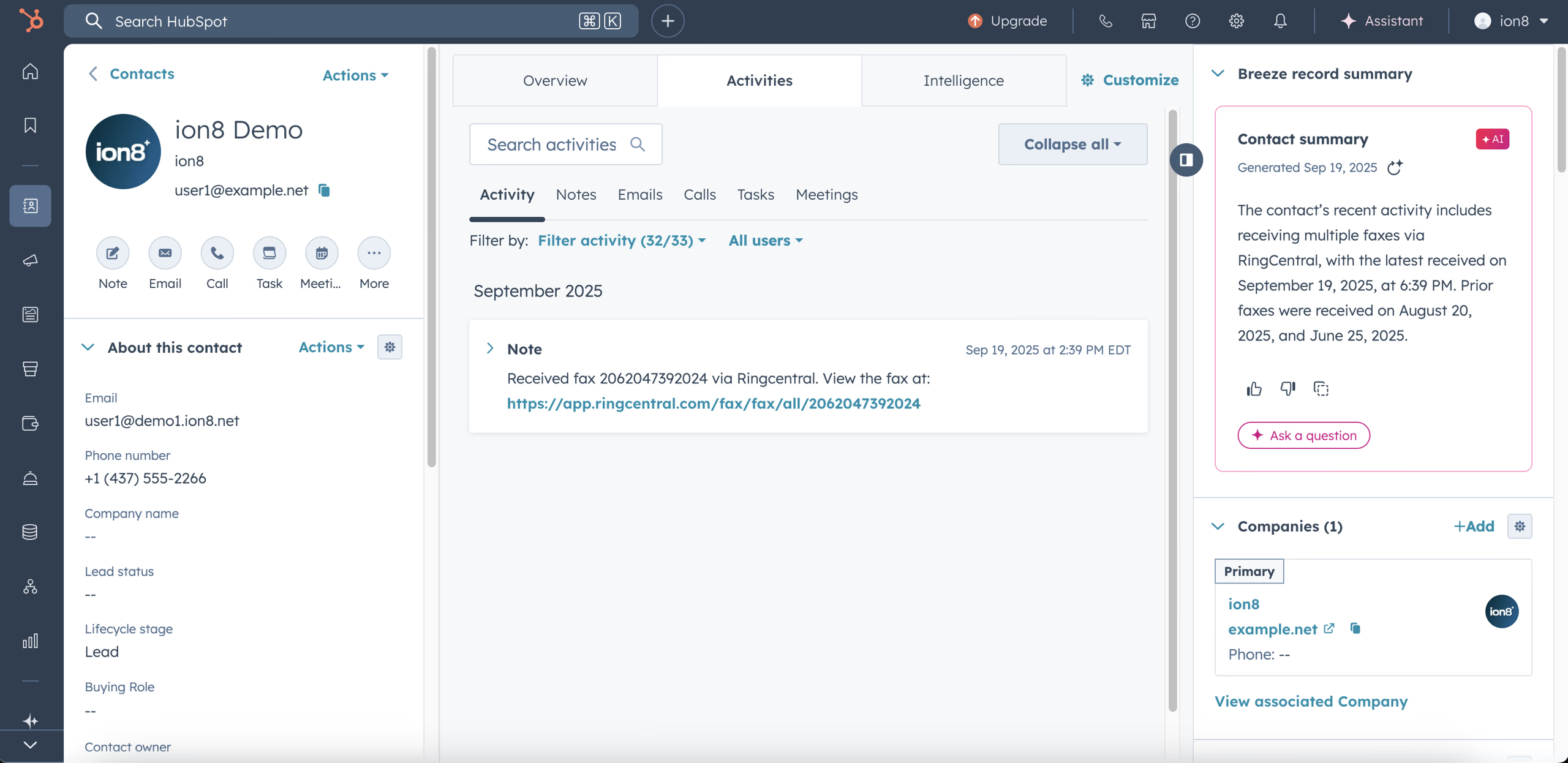
Fax logged as a Note in HubSpot.
Frequently Asked Questions
Works with Your Favorite Communication Platforms
Connect HubSpot with any of these communication platforms for seamless call logging


