Link Google Meet and HubSpot for Complete Call Capture
Turn every Google Meet conversation into actionable HubSpot data. Automatically log calls, transcribe conversations, and update your HubSpot records in real-time.
Set Up in Minutes, Not Hours
Get your Google Meet and HubSpot integration running quickly with our simple 3-step process
Connect Google Meet
Link your Google Meet account using OAuth 2.0 (Google) to enable call capture from all devices.
Connect HubSpot
Authenticate your HubSpot account using OAuth 2.0. Setup takes 5 minutes.
Start Logging Automatically
Every Google Meet call automatically creates a detailed record in HubSpot with transcripts, recordings, and smart contact matching.
How Google Meet and HubSpot Work Together
Call Connector creates a seamless bridge between Google Meet and HubSpot, turning every communication into organized, searchable data.
Automatic Call Logging
When a call ends on Google Meet, Call Connector immediately gets to work. It looks up the phone number in your HubSpot contacts and creates a Call Record with complete metadata: duration, timestamp, direction, and participants.
Recording & Transcripts
Recording a call in Google Meet? The recording and AI-generated transcript are automatically attached. No manual uploads, no copy-paste—everything flows automatically.
Smart Matter Linking
Calls are automatically associated with the relevant matter based on the contact. Everything stays organized without you lifting a finger.
What's Included
Call Logging
SMS Logging
Fax Logging
Recording Storage
AI Transcripts
Matter Association


Available on Enterprise+ Plan
This integration requires the Enterprise plan or higher. Both Google Meet and HubSpot must have active accounts.
Why Google Meet + HubSpot?

The Problem
Sales teams live on the phone, but when Google Meet calls aren't logged to HubSpot, deals slip through the cracks. Reps waste time manually updating CRM records instead of selling, and managers lack visibility into customer conversations and pipeline health.
The Solution
Call Connector automatically captures every Google Meet call and creates a Call Record in HubSpot with complete details: participants, duration, timestamp, and direction. When you record calls in Google Meet, you also get AI-powered transcripts—searchable and ready for review. If the contact has an associated matter, everything links automatically.
The Result
Sales reps stay focused on selling while every Google Meet conversation automatically updates HubSpot. Managers get complete visibility into customer interactions. No missed follow-ups, no lost deals, no manual logging—just automatic, accurate pipeline data.
Everything Captured Automatically
Complete details from every Google Meet communication, automatically organized in HubSpot

Every Google Meet meeting with external attendees automatically recorded
Meeting duration, timestamp, and participant list captured
AI-powered transcriptions with speaker identification
Full meeting recordings stored in connected cloud storage
Recordings and transcripts logged to destination CRM/practice management system
Manual bot invitation available for ad-hoc meetings

Every call logged as a Call record with full details
Call duration, timestamp, direction, and participants automatically captured
AI-powered transcriptions embedded in call details
Recording links included for instant playback (shows as 'not recorded' in HubSpot UI)
SMS messages logged as Communications in the SMS category
Faxes logged as Notes associated with the contact
See It In Action
Real examples of Google Meet and HubSpot working together with Call Connector
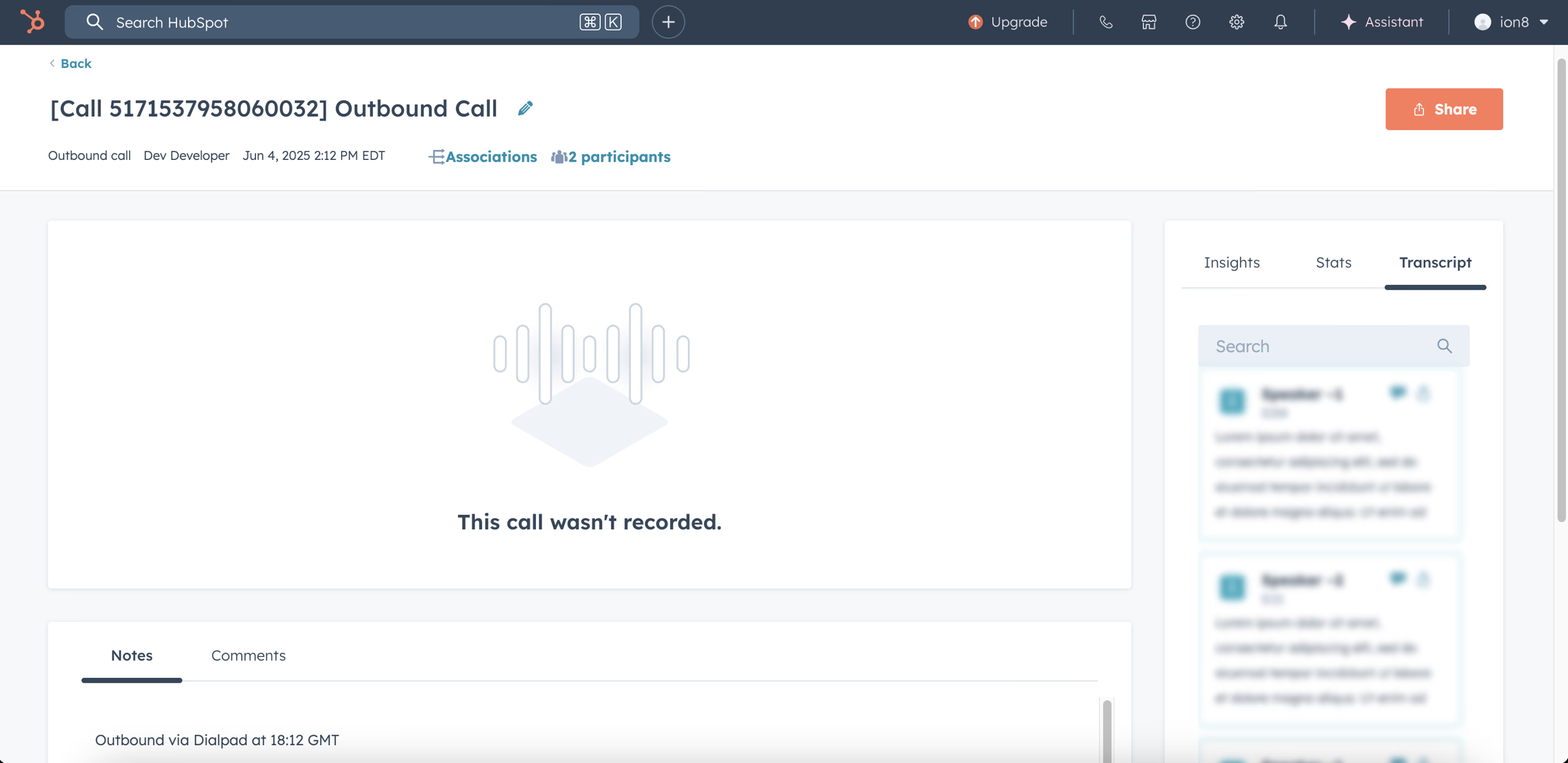
HubSpot: Calls appear as Call records with duration and timestamp details
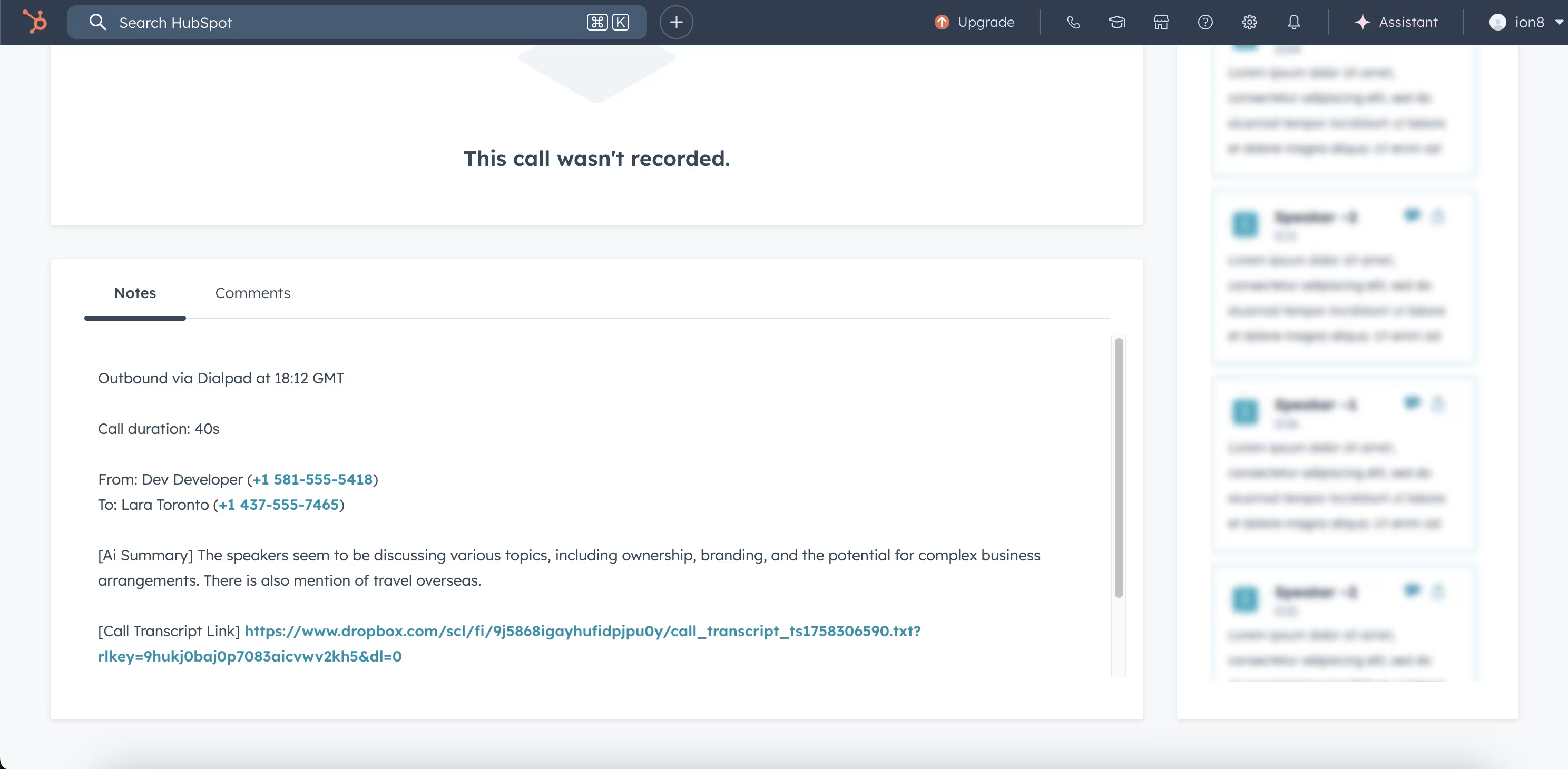
HubSpot: Click to view full call details including transcripts and recording links
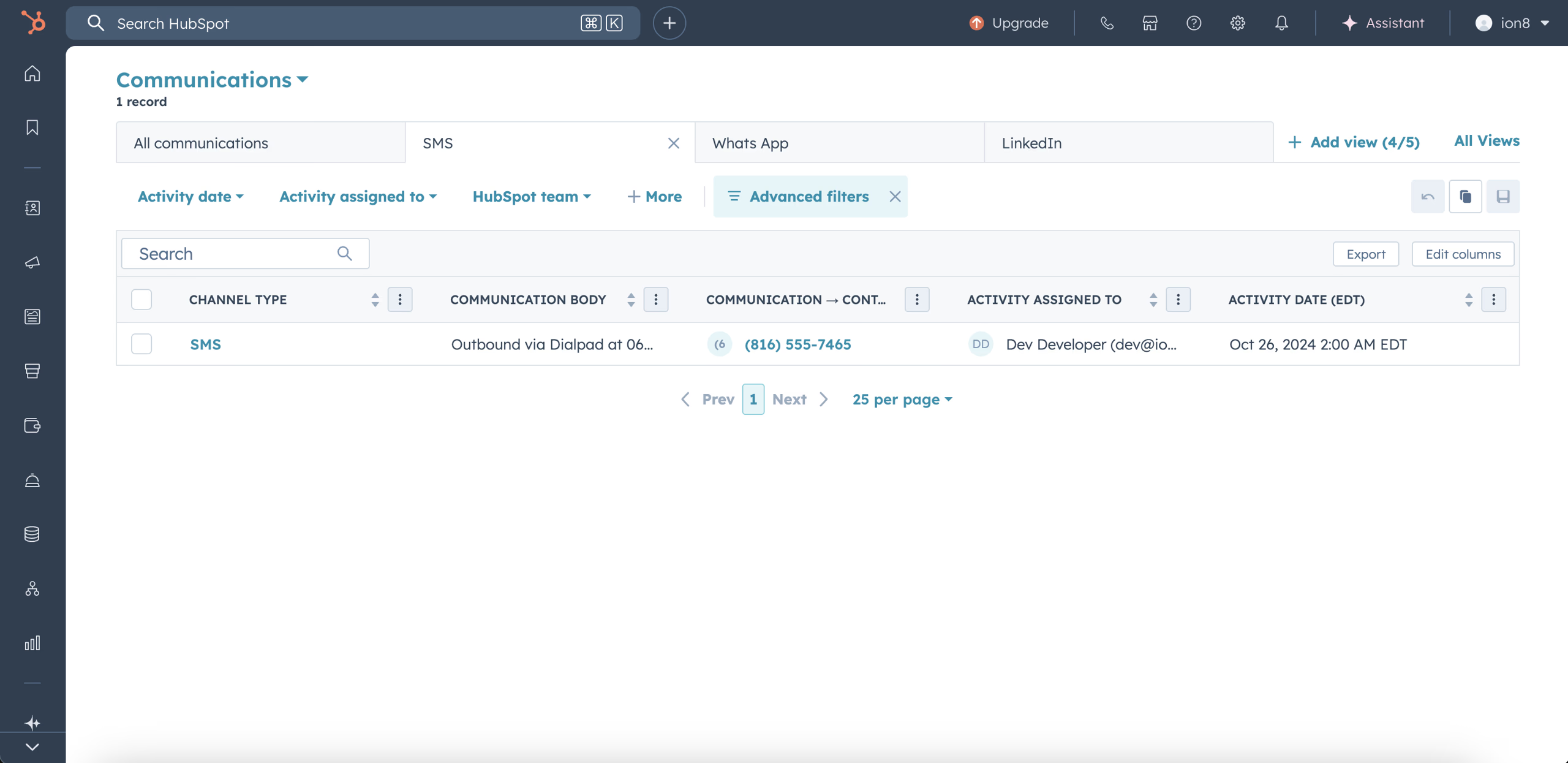
HubSpot: SMS messages appear as Communications in the SMS category
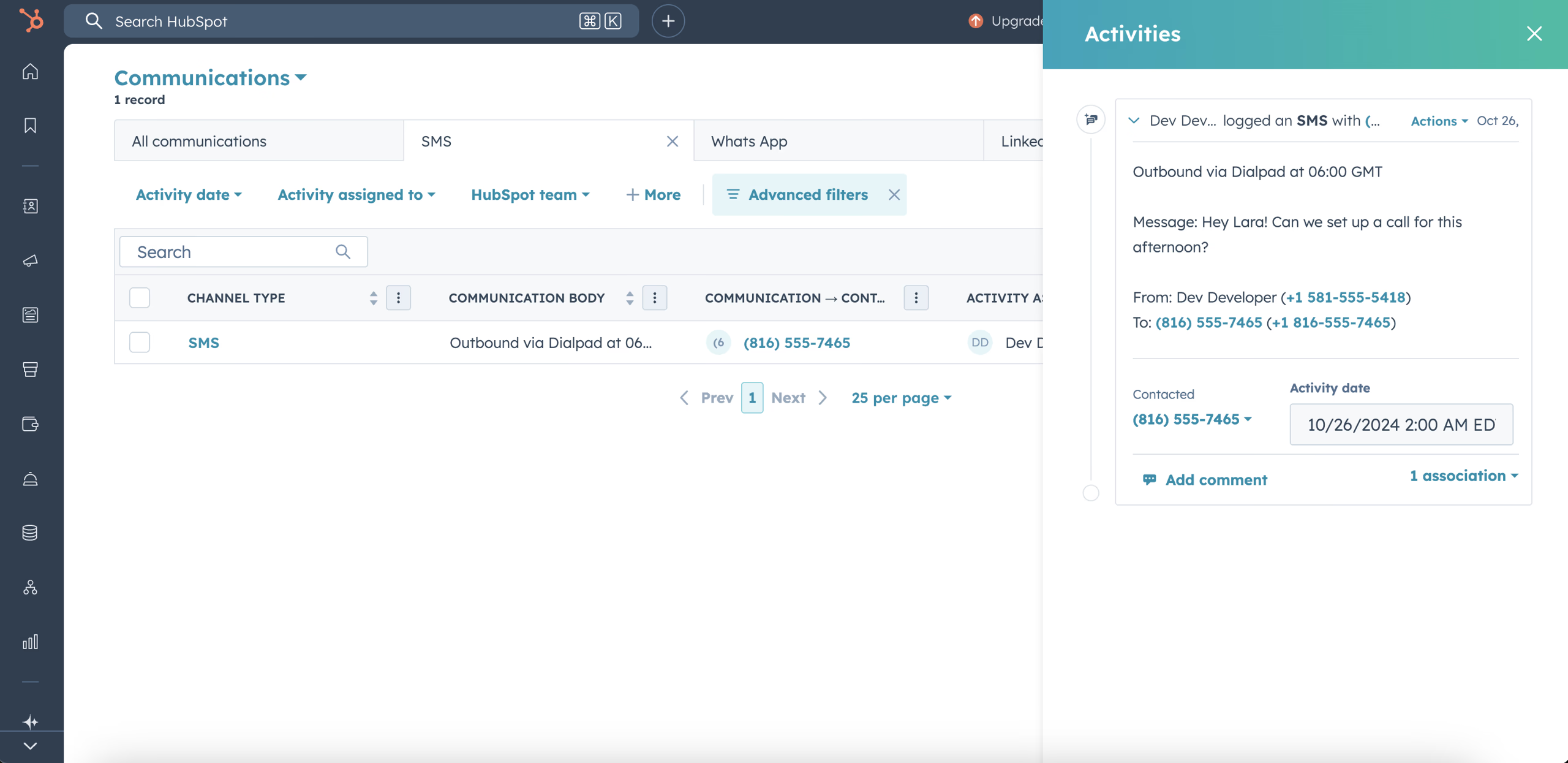
HubSpot: SMS are logged as Notes on the contact for complete communication history
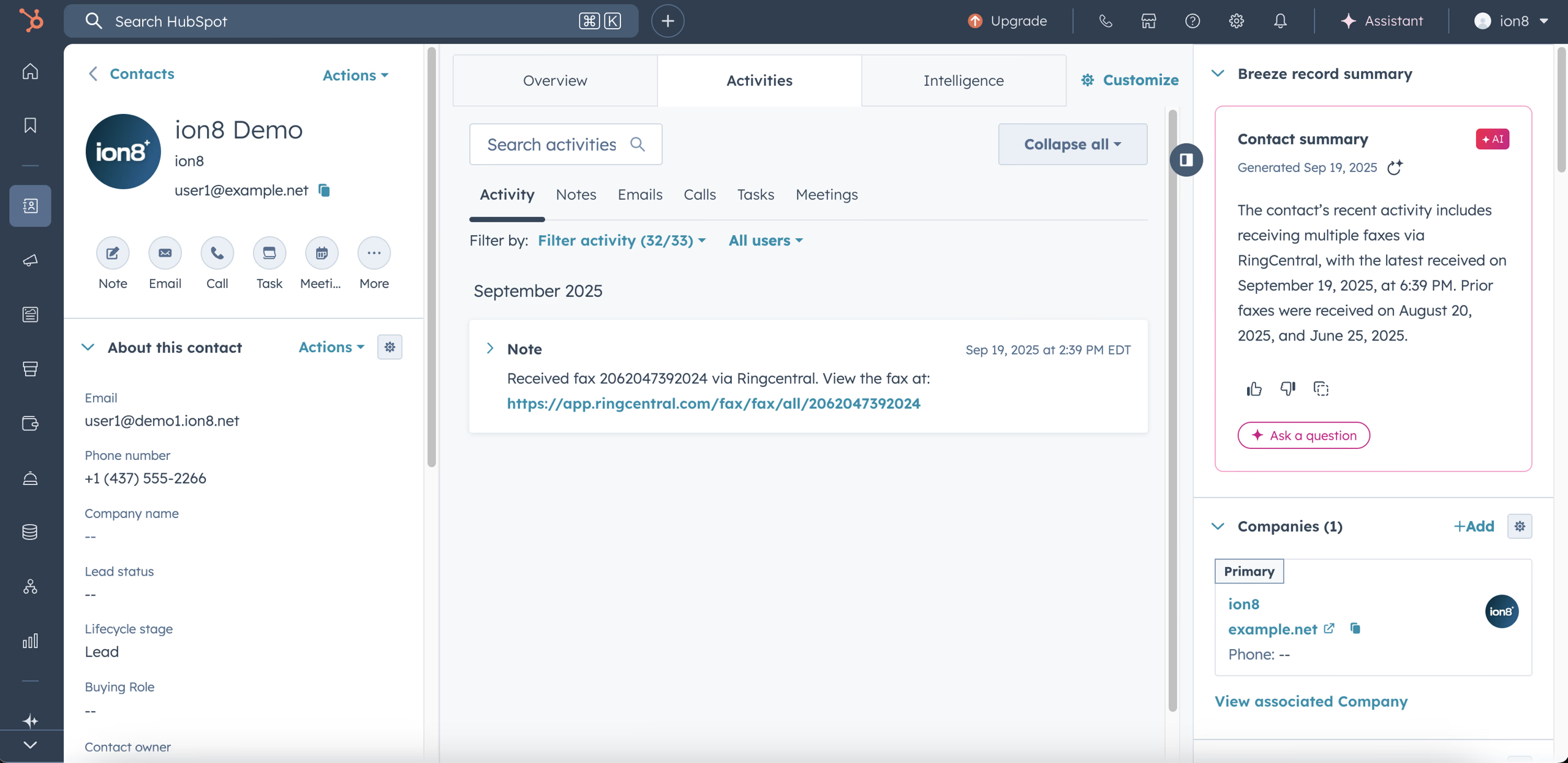
HubSpot: Fax logged as a Note in HubSpot.
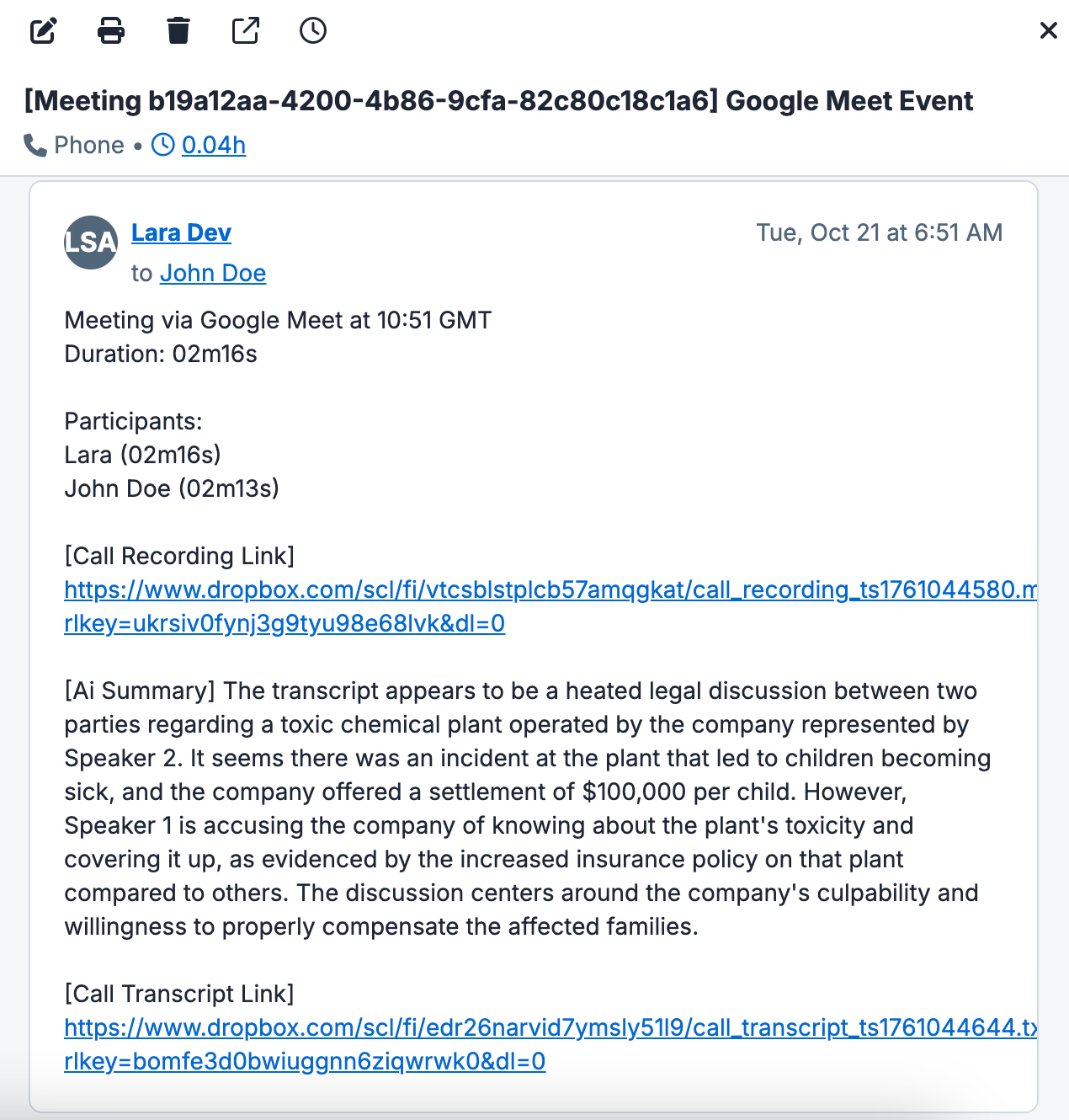
Google Meet: AI-powered transcripts identify speakers and capture full conversation
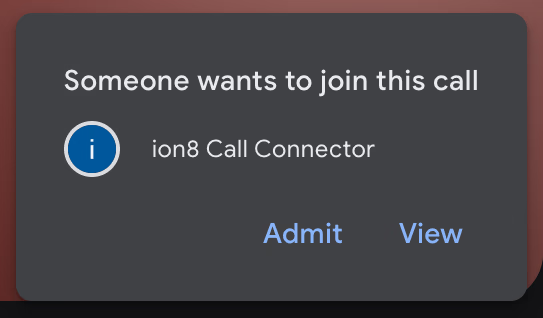
Google Meet: The recall.ai bot appears as a participant in your video meetings
Frequently Asked Questions
Common questions about connecting Google Meet with HubSpot
Connect to HubSpot from other communication platforms






Receive call logs from Google Meet in other systems